Why Can't I See Flee the Facility Crate Values? How to Check Them
Crates, shop prices, and trade values are not the same thing. Use this guide to identify the exact item and check the right FTF value reference before trading.

A crate usually does not have one universal trade value
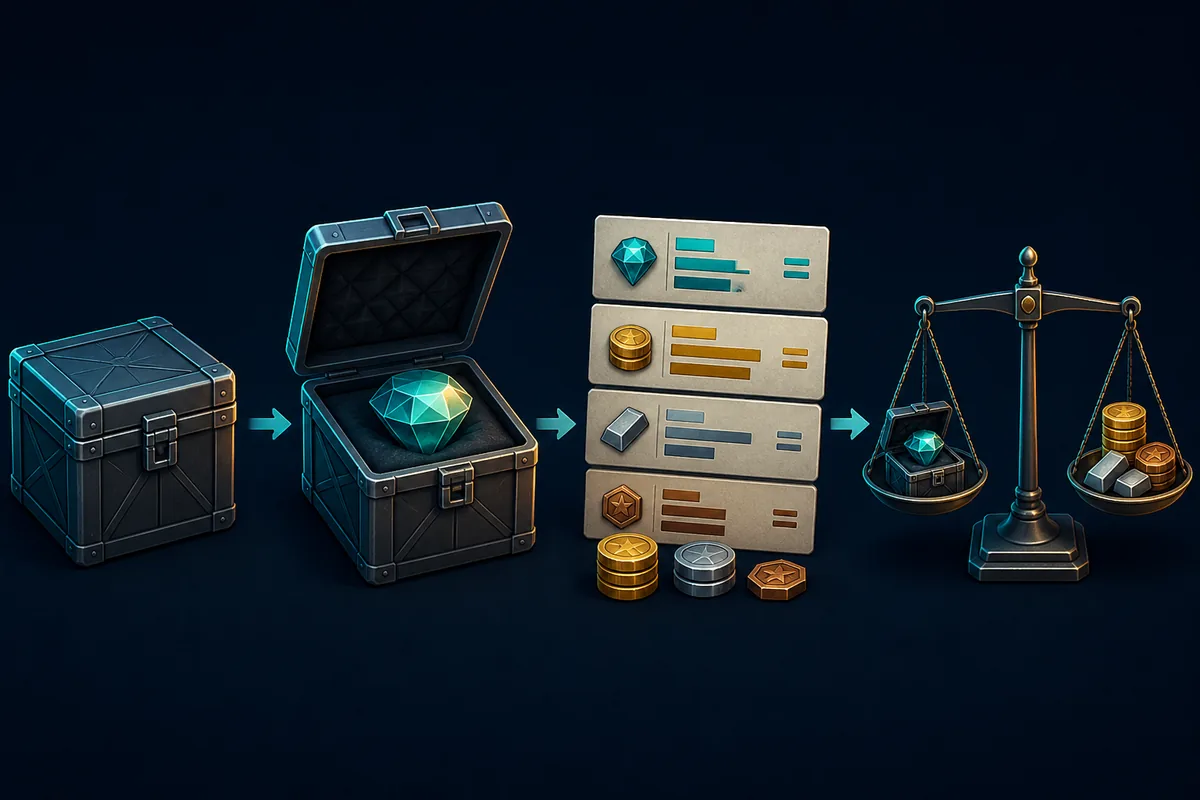
If you are searching for how to check values of things in crates in FTF, start with the item inside the crate, not the crate name alone. A crate can describe a shop or collection container, while the trade value belongs to the exact hammer, gemstone, or other item you can identify.
The safest workflow is to record the exact item name, check it in a current FTF value list or item finder, compare demand and stability, and then run the complete offer through the FTF calculator. This prevents a shop price, an old screenshot, or a bundle label from being mistaken for a trade value.
This page explains why crate references can look inconsistent and what to do when an item is missing from a list. It does not replace the live value pages, because community values can change after events, supply changes, and demand shifts.
Important: The illustrations on this page are editorial explanations, not official Roblox screenshots or fixed price tables.
What Does Flee the Facility Crate Value Mean?
Players often use crate value as a shortcut for several different ideas. They may mean the shop cost of opening or buying a crate, the rarity of an item that came from a crate, or the community trade value of the exact item. Those numbers answer different questions, so they should not be copied from one column into another.
For trading, the most useful identity is the exact item name. A hammer and a gemstone from a similar series can have different demand, different liquidity, and different set context. A crate label can help you find the collection, but it is not enough to decide whether an offer is fair.
Use the table below as a quick filter. If a page only gives a crate name or a shop price, treat it as discovery information and continue to an item-level value reference before you trade.
| What you see | What it usually tells you | What to check next |
|---|---|---|
| Crate or series name | Where the item came from or how a collection is grouped | The exact hammer or gemstone name |
| Shop price or opening cost | An in-game acquisition or display price | Whether the item is tradeable and its community value |
| Rarity label | How the item is classified in the collection | Demand, stability, and recent trade activity |
| Trade value | A community reference for player-to-player offers | A current value list plus the full W/F/L calculation |
Why Do Older Flee the Facility Crate Guides Look Different?
Older videos and screenshots can describe a different shop flow from the one players see now. The official Flee the Facility change log explains that crates would no longer be random and that each item would receive its own price. That change makes item identity more important than treating the crate as one tradeable asset.
This does not mean every old guide is useless. Older guides can still help you recognize a series or understand why a collection exists. The problem is using an old crate price, old random-content rule, or old screenshot as if it were a current player-to-player trade value.
Community value pages also update at different speeds. One page may show a shop reference, another may show a historical list, and a third may show a community estimate. Read the date and the item name before comparing numbers.
The practical rule
Treat the crate as context. Treat the exact item, its tradeability, current demand, and the complete offer as the evidence for a trade decision.
How to Check Values of Things in FTF Crates
Use these steps whenever a crate guide does not show a clear value or when two screenshots disagree. The goal is to move from a vague container label to a verifiable item-level check.
- Identify the exact item Write down the item name exactly as it appears in the game or trade window. Do not rely on a nickname such as a color, a shortened series name, or a cropped screenshot.
- Separate shop information from trade information A purchase price or crate cost can explain how an item was obtained, but it is not automatically the value another player will offer. Keep those two references in separate notes.
- Search the current item reference Use the FTF Value List or Item Value Finder with the exact name. If the item belongs to a hammer, gemstone, set, or bundle page, open the focused guide as a second reference rather than guessing from rarity.
- Review demand and stability Two items with similar listed values can trade very differently. Check whether players still want the item, whether its value is rising or dropping, and whether a complete set changes the context.
- Run the whole offer through the calculator Add every item on both sides to the FTF W/F/L Calculator, then re-check the actual trade window. A crate reference is only one clue; the final decision is about the complete offer and the current player demand.

Common FTF Crate Value Mistakes
Most crate-value confusion comes from mixing an item discovery label with a trading conclusion. Watch for these patterns:
- Using the crate name as the item name. A collection name may contain several separate hammers or gemstones, each with its own market behavior.
- Treating shop cost as trade value. The amount needed to obtain an item does not guarantee that another player will offer the same amount in a trade.
- Trusting an old screenshot without a date. Event supply, item updates, and community demand can make an old number misleading.
- Judging only by rarity. Rarity can provide context, but demand and liquidity decide how easy an item is to trade.
- Counting an untradeable item. Default items, credits, or items marked untradeable should not be added as normal trade assets.
- Accepting a last-second item swap. Re-check the exact names and totals after every change before confirming the trade.
What If the Crate Item Has No Listed Value?
A missing value is not proof that the item is worthless, and it is not permission to invent a number. It may be a new event item, a spelling mismatch, a low-liquidity item, an untradeable item, or a page that has not been updated yet.
Keep the item in a pending state until you can verify its identity and tradeability. Compare recent player offers only as supporting evidence, and be clear that an informal offer is not the same as a stable community value.
| Situation | Safer action |
|---|---|
| The name is unclear | Check the trade window or item details and copy the exact spelling. |
| The item is new | Use recent offers as a signal, but label the value as unstable or unconfirmed. |
| The item is absent from the list | Try the Item Value Finder, then compare the relevant hammer, gemstone, or set guide. |
| The item is untradeable | Do not assign it a normal trade value or include it in a W/F/L total. |
Flee the Facility Crate Values FAQ
Summary: Check the Item, Not Just the Crate
The short answer to how to check values of things in crates in FTF is to identify the exact item first. A crate is useful context, but the trade decision depends on the item, its tradeability, current community value, demand, stability, and the full offer on both sides.
When older guides disagree, check the date and the game change log, then use the current value list and calculator. If no value is available, keep the item unconfirmed instead of turning a guess into a trade promise.
References
- Flee the Facility Change Log — Official Roblox Developer Forum notes for the crate and item-pricing change.
- Flee the Facility on Roblox — Official game listing and current game entity reference.