Pearl Piercer FTF Value: Trade Guide, Demand & Jellyfish Context
A practical Pearl Piercer FTF value guide for identifying the hammer, reading changing community snapshots, and checking a complete trade before accepting.

If you searched for Pearl Piercer FTF, you are probably trying to identify a Flee the Facility hammer and decide what a real trade offer is worth. The phrase is specific enough to deserve its own answer, but value-list numbers still need context. A player may be asking about the hammer alone, a Jellyfish-themed pair, or a bundle that includes several unrelated adds.
The short answer is that Pearl Piercer does not have an official Roblox cash price or one permanent community number. The public snapshots checked for this guide on September 7, 2026 showed different contexts: one item guide displayed 70 with low demand and an improving status, while a separate set listing also showed 70 for a grouped offer. Those numbers are useful references, not promises.
For a safer Pearl Piercer FTF trade, confirm the exact item name first. Then compare the dated value snapshot with demand, stability, liquidity, and the other side of the trade. If the offer includes a Jellyfish companion or several adds, calculate the complete offer instead of adding numbers from memory.
Quick Answer
Use Pearl Piercer FTF value reports as dated community snapshots. Verify the hammer, check demand and set context, then run the exact offer through the FTF W/F/L Calculator before accepting.
What Is Pearl Piercer in FTF?
Pearl Piercer is the item name behind the search phrase pearl piercer ftf. In ordinary chat, players may shorten the name, omit punctuation, or describe the item by its pearl and ocean theme. That shorthand is convenient, but it is not enough evidence for a trade. The trade window should show the exact item you are evaluating.
The identity check matters because Flee the Facility has many themed hammers and gemstones. A similar color palette, a cropped inventory image, or a copied value-list row can make two items look interchangeable when their demand is different. Treat the displayed name as the starting point, not as proof that every nearby item belongs to the same set.
No official fixed trade price was found. Public community references can disagree, and the page's local visuals are editorial illustrations rather than official gameplay or item screenshots.
Pearl Piercer FTF Value Snapshots
A value snapshot answers what one reference displayed at a particular time; it does not answer whether every player will accept that number today. The table below records the context of the public pages checked for this guide instead of blending their metrics into one invented average.
| Reference context | Displayed signal | What it tells you | How to use it |
|---|---|---|---|
| Game.Guide item snapshot | 70 | Low demand; improving status on the checked page | Use as a dated community reference, not a guarantee |
| Traderie set listing | 70 for set context | A grouped collector or user-offer signal | Do not compare directly with an item-only number |
| Official Roblox price | Not published | There is no official cash price for the trade value | Use community references and the actual offer |
| Your final trade | Depends on the offer | Demand, stability, liquidity, and adds can change the result | Enter every item in the calculator |
How to Judge Pearl Piercer Value
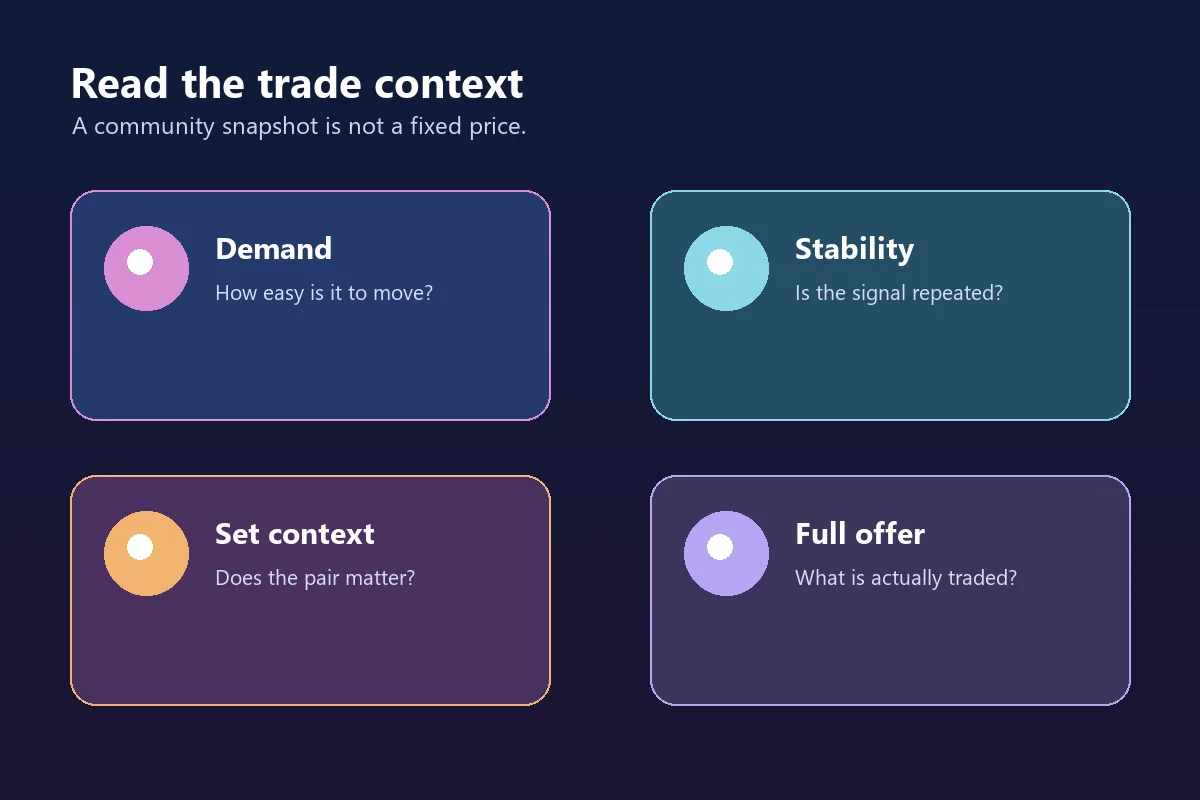
Use these signals together. One attractive number should not outweigh a weak market, an unclear item identity, or a rushed trade.
Exact item identity
Confirm the full name in the trade window. Do not price a cropped screenshot, nickname, or similar-looking hammer as Pearl Piercer without checking.
Demand and liquidity
Ask whether traders are actively looking for it and whether recent offers contain stable items. A rare item can still be hard to trade.
Stability over time
Prefer repeated recent signals over one video, post, or screenshot. An improving label can describe momentum, not a guaranteed future increase.
Set context and adds
A Jellyfish-themed pair may interest a collector, but the premium depends on the exact companion, demand, and full offer.
Jellyfish Bundle and Set Context
The phrase Jellyfish bundle can mean different things in player conversations, so verify the companion item instead of assuming that any ocean-themed gemstone completes the set. Public listings may group items for a collector audience, while a general value list may score each item separately.
Keep a pair together when the other trader clearly wants the theme and the complete offer remains fair. Split the pair when one item has much stronger liquidity, when the companion is being used as filler, or when the claimed bundle premium comes only from an old screenshot. A complete set is a preference signal, not a rule that overrides demand.
When comparing offers, write down three totals: Pearl Piercer alone, the claimed pair, and the complete offer including adds. This simple separation prevents a set label from hiding a weak gemstone or several low-demand items.
| Offer shape | Main question | Safer interpretation |
|---|---|---|
| Pearl Piercer alone | Is the hammer liquid and wanted? | Compare item-only references and recent demand. |
| Pearl Piercer plus claimed companion | Does the exact pair attract a collector? | Check the companion and set premium separately. |
| Pair plus unrelated adds | Are the adds meaningful or filler? | Judge the full offer, not the item count. |
Pearl Piercer FTF Trade Examples
These examples show how the same community snapshot can lead to different decisions. They are scenarios, not guaranteed prices.
Example 1: Hammer for a larger pile
A trader offers several small adds because the item count looks impressive. If those adds have weak demand or poor stability, the pile may not be a real upgrade. Compare the items individually, then use the calculator for the total rather than rewarding quantity alone.
Example 2: Pearl Piercer plus a Jellyfish companion
A collector may prefer the complete theme and accept a reasonable set premium. That does not make every pair trade fair. Confirm the exact companion, compare the pair with stable alternatives, and ask whether the premium is supported by current demand.
Example 3: A new value screenshot
A recent-looking screenshot can still be cropped, copied, or tied to a different list. Record the source date, compare it with another current reference, and look for repeated offers before changing your whole valuation.
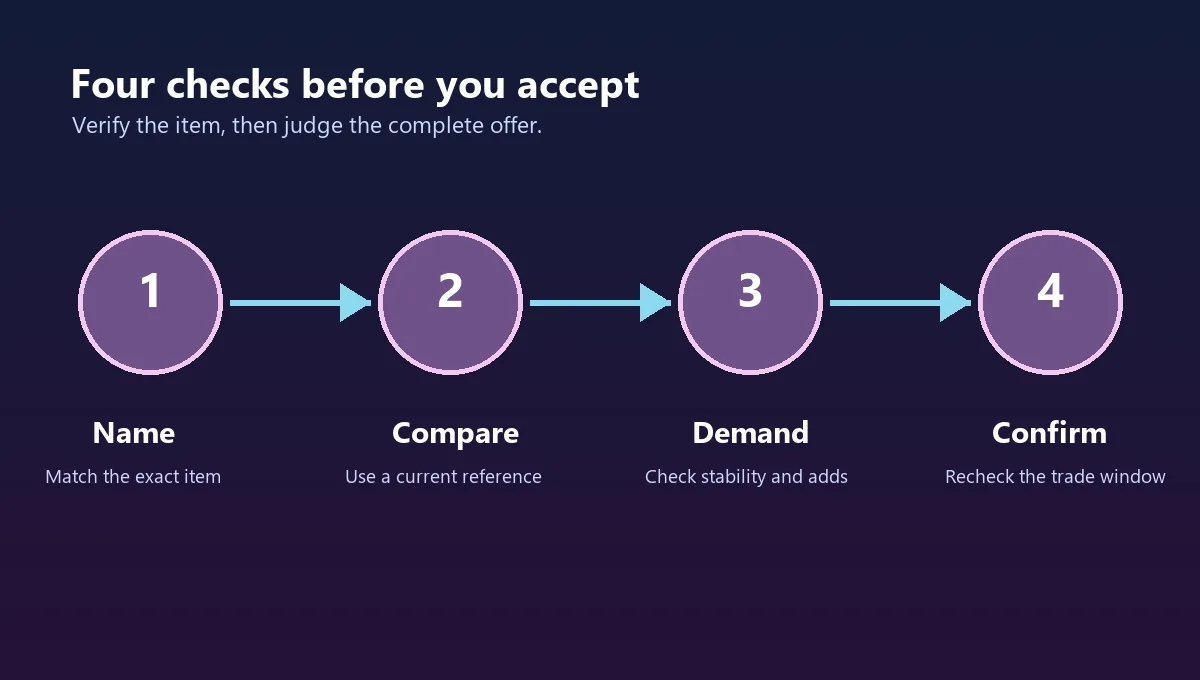
Four-Step Pearl Piercer FTF Trade Check
Use this sequence whenever a trade message says Pearl Piercer is worth a particular amount.
-
1. Verify the name
Open the trade window and confirm the exact hammer. Check the companion item separately if the offer claims to be a Jellyfish set. -
2. Record the reference
Note the source, date, item-only or set context, demand label, and whether the number is a community estimate rather than an official price. -
3. Compare both sides
Judge stability, liquidity, and meaningful adds. Do not count several weak items as equal to one item that traders actively want. -
4. Recheck before accepting
Make sure no item was swapped, removed, or renamed at the last moment. Then use the FTF W/F/L Calculator for the exact final offer.
Common Pearl Piercer Trade Mistakes
Most avoidable losses come from treating a shorthand phrase as a fixed price.
- Assuming a 70 snapshot is an official or permanent value.
- Confusing a complete-set listing with an item-only listing.
- Adding low-demand filler by item count instead of tradeability.
- Using an old screenshot after demand or a value list has changed.
- Assuming every Jellyfish-themed item completes the same set.
- Accepting because the other trader creates urgency before the final recheck.
Pearl Piercer FTF FAQ
Bottom Line
Pearl Piercer FTF value is best understood as a dated community estimate plus a demand and tradeability check. The public pages reviewed for this guide show why a single number can be misleading: item-only, set, and user-offer contexts are not interchangeable.
Confirm Pearl Piercer in the trade window, check whether the Jellyfish context is real, compare the complete offer, and recheck before accepting. If the evidence is old or conflicting, pause and use the calculator with the actual items rather than paying extra for confidence you cannot verify.
References Checked
Last checked: September 7, 2026